Apr 15, 2026
– Listen to MP3 Audio Version–(6 Min)
Keep It Simple: Keypads Don’t Need Complicated Care
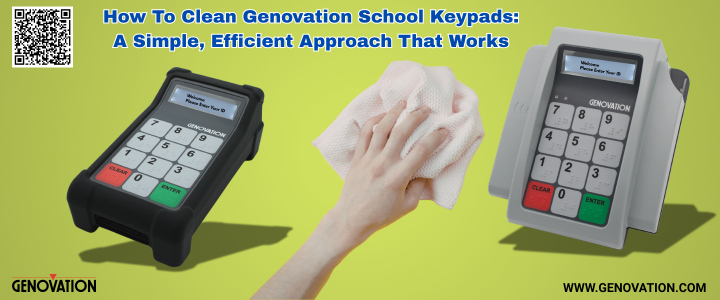
Genovation POS keypads sit in busy cafeterias, classrooms and libraries, handling constant use without slowing things down. Cleaning them shouldn’t slow things down either.
With the right approach, keeping keypads clean can be a quick, routine step—not something staff have to overthink. The key is knowing what actually matters—and what doesn’t.
Make It Easy: Clear, Consistent Cleaning Routines
The most effective approach is removing uncertainty. Cleaning routines should be:
- Simple enough to remember
- Safe enough to trust
- Efficient enough to fit into the school day
When staff don’t have to second-guess what to use or how to clean, consistency improves—and devices last longer.
Device-Safe Cleaning: What Actually Works
Instead of chasing specific cleaning brands, adopt a device-safe approach based on manufacturer and industry guidance:
- Avoid sprays—liquid can seep into devices
- Skip bleach or harsh disinfectants
- Be cautious with alcohol or ammonia, which can damage coatings
- Use minimal moisture when cleaning
Sources like CNET, Apple, and NASA IT divisions suggest common disinfecting wipes (e.g., Lysol, Clorox) are safe if used properly and sparingly (CNET, Lysol, Clorox).
Key takeaway: It’s not about the perfect product—it’s about using common tools correctly.
Why It Matters: Efficiency and Fewer Interruptions
Clear, simple cleaning routines offer immediate benefits:
- Quick Cleaning Between Uses – Staff can wipe devices confidently.
- Protect Equipment – Avoiding harsh chemicals preserves keys and screens.
- Fewer Device Issues – Proper care reduces unresponsive keys.
- Lower IT Support Needs – Less damage means fewer troubleshooting requests.
Fit for School Life: Cleaning That Works in Real Environments
Cleaning happens during lunch transitions, shift changes, or by staff with varying technical comfort. The method needs to be efficient and forgiving:
Simple 3-Step Cleaning Process:
- Wipe with a disinfecting wipe
- Follow with a soft, damp, lint-free cloth
- Dry with a separate soft, lint-free cloth
Tips:
- Squeeze excess liquid from wipes if too wet
- Avoid pooling or sitting liquid
- Skip rough towels; use gentle pressure to protect keys
Reduce Risk: Avoid Damage from Over-Cleaning
The main risk isn’t under-cleaning—it’s over-cleaning or using the wrong products:
- Harsh chemicals can etch surfaces or cloud screens
- Excess moisture can damage internals
- Overuse can gradually degrade keys
Balanced cleaning—regular, careful, consistent—supports reliability and ease of use.
Keep It Future-Ready: Habits That Scale
For long-term success:
- Standardize one basic cleaning method
- Use widely available supplies
- Train staff once, reinforce consistency
This reduces variability, protects equipment, and keeps daily operations running smoothly.
A Smooth Next Step: Learn About the Newest Genovation Cafeteria Keypad Model
Now that you know how to clean your Genovation POS keypad efficiently and safely, you can also explore devices designed to make maintenance even easier. Genovation’s newest model, the MiniTerm 909 12-Key Membrane Keypad, offers features built for everyday school operations:
- Sealed membrane keys simplify cleaning and reduce the risk of damage
- Compact design fits cafeterias, offices, and shared workstations
- Durable construction stands up to frequent use
- System compatibility keeps setup and IT support simple
Learn more about the MiniTerm 909 here:
https://www.genovation.com/product/miniterm-909-12-key-membrane-keypad/ (Photo below)
Citations
- CNET – Dos and Don’ts for Disinfecting Your Devices:
https://www.cnet.com/news/dos-and-donts-for-disinfecting-your-devices/ - Lysol – How to Clean Electronics in Your Home:
https://www.lysol.com/tips-resources/home-cleaning-tips/how-to-clean-electronics-in-your-home/?tabs_clean_electronics_article=2 - Clorox – How to Clean and Disinfect Laptop, Computer Screen, and Keyboard:
https://www.clorox.com/learn/how-to-clean-and-disinfect-laptop-computer-screen-and-keyboard/
Encourage your team to review internally—share this guide with IT staff, nutrition services, and operations teams to support consistent, safe, and efficient keypad care.